Own the Battlefield

ArmaReforger Cheats

ESP, player information, and visual overlays for greater awareness in Arma Reforger. Explore the package and check compatibility for your game version.

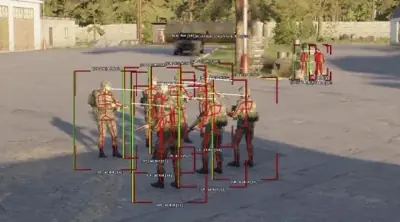
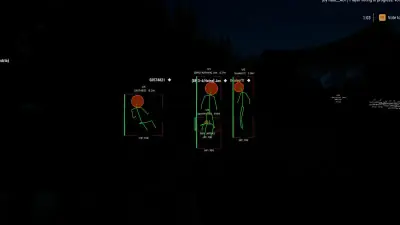
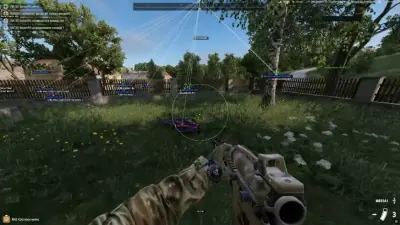
Arma Reforger rifle view beside camouflage netting, with player boxes and skeleton overlays in a field.

Listed

Player ESP

Listed

Aimbot

Required

Cloud DMA

24/7

Live Support

Arma Reforger ESP
Player information
Visual features
Customization
Compatibility notes
Setup guides
Product details
Support
Status checks
Windows PC
Arma Reforger
Compatibility notes
Setup guide
Product status
Support route
Current listing
Arma Reforger ESP
Player information
Visual features
Customization
Compatibility notes
Setup guides
Product details
Support
Status checks
Windows PC
Arma Reforger
Compatibility notes
Setup guide
Product status
Support route
Current listing

Features

Player ESP, Aimbot, and advanced tools in one suite

The Arma Reforger Cheats suite lists Player ESP and Aimbot features, with Cloud DMA marked as required. Explore the available feature details, product requirements, compatibility information, and support options before choosing a version. Feature availability may vary depending on the selected product.

Player ESP

Player boxes, names, and distance.

Player ESP provides visual player information, including player boxes, names, distance indicators, and other supported status details to help you understand activity across the battlefield.

  • Player boxes
  • Player names
  • Distance indicators
  • Player status information
  • Configurable ESP display

Vehicle ESP

Track vehicles across the battlefield.

Vehicle ESP focuses on displaying information about supported vehicles and their locations, helping you understand vehicle activity around the battlefield.

  • Vehicle indicators
  • Vehicle names
  • Distance information
  • Supported vehicle filters

Aimbot

Targeting configuration.

Aimbot refers to automated aiming assistance. Available settings and customization options depend on the selected product version and its documented compatibility.

  • Aim configuration
  • Target selection
  • Customizable settings
  • Version-specific options

Cloud DMA

Hardware-based functionality.

Cloud DMA is listed as a required component for the advertised product setup. Review the provider's hardware requirements and compatibility information before choosing a product version.

  • Cloud DMA requirement
  • Hardware compatibility
  • Setup information
  • Version-specific support

Visual ESP

Battlefield visibility.

Visual ESP focuses on displaying supported player and entity information through configurable visual indicators.

  • Player indicators
  • Entity information
  • Distance labels
  • Visual customization

Radar

Situational awareness.

Radar features provide an additional visual overview of supported entities and battlefield activity, depending on the available product version.

  • Radar interface
  • Entity indicators
  • Distance information
  • Configurable display

Configuration

Customize your settings.

Configuration options help organize supported product settings and customize the available interface.

  • Feature settings
  • Display customization
  • Configuration options
  • Version-specific settings

Compatibility

Product requirements and support.

Check the supported Arma Reforger game version, product requirements, and Cloud DMA compatibility before purchasing. Feature availability may change between product versions.

  • Arma Reforger compatibility
  • Cloud DMA requirements
  • Version information
  • Product support

Store

Our products

Compare the cheat menu and the utilities on this grid. Open a product page for the feature list and checkout.

ArmaReforger Cheats

A cheat package focused on player awareness through ESP, player information, and visual overlays.

ESP, player information, and visual overlays designed to enhance awareness in Arma Reforger.

  • ESP features
  • Player information
  • Visual features

Hardware Spoofer

Disk serials, MAC addresses, and GPU IDs get a new pass. The cleaner in the license runs before the next sign-in.

After a hardware flag, this license rewrites disk serials. It also rewrites MAC addresses, GPU IDs, and related fingerprints. Trace cleanup is in the same license.

  • Disk serial rewrite
  • MAC rewrite
  • GPU ID rewrite

Cloud DMA

A Hyper-V environment for one Windows PC with guided installation and encrypted activation.

Cloud DMA may require GREENWARD, Static Server and AWS as separate purchases. Check the full requirements and current price at checkout.

  • Single-PC setup
  • Guided Hyper-V installation
  • Encrypted activation

Client Skin Changer for Supported Titles

Weapon skins and outfits, drawn on this PC, without a separate purchase for each cosmetic.

A small client paints premium weapon skins on your screen. Outfits and knife variants are included, across the major titles it lists.

  • Weapon finish looks
  • Outfit looks
  • Knife style looks

Why us

Arma Reforger information built around current details

Review listed features, requirements, and compatibility notes before you open purchase options.

  • Version-specific features

    Different Arma Reforger product versions may offer different combinations of Player ESP, visual features, and additional modules. Compare the listed features before choosing a version.

  • Aimbot configuration

    Review the available aiming options, configuration settings, and supported functionality listed for the selected Arma Reforger product version.

  • ESP and visual features

    Player ESP, player information, distance indicators, and supported visual overlays provide additional battlefield information through the available interface.

  • Hardware requirements

    Cloud DMA is listed as a required component. Review the hardware requirements and product documentation before purchasing.

  • Compatibility

    Designed for Arma Reforger on PC. Check supported Windows versions, game builds, hardware requirements, and product compatibility before selecting a version.

  • Saved settings

    Review available configuration options, supported settings, and customization features. Availability may vary depending on the selected product version.

PC

Arma Reforger

Designed for Arma Reforger on PC. Check the selected product version for supported game builds.

10/11

Windows

Check the product documentation for supported Windows operating systems and system requirements.

Varies

By version

Feature availability and compatibility may vary depending on the selected product version, hardware requirements, and current Arma Reforger game build.

Setup guide

From checkout to your first match in just three simple steps

After checkout, use the portal to review the current setup guide and product information before launching Arma Reforger.

  1. Open the portal and download the loader

  2. Review your current product details

  3. Verify status & launch Arma Reforger

How it works

From status check to saved profile.

Four steps from the status banner to a portal profile you can load next time.

4 easy steps

  1. 01

    Check live status

    Open reforgercheats.com and read the banner before you pay or start the game.

  2. 02

    Choose your product

    Pick the cheat suite, or a utility when the issue is this PC or an account limit.

  3. 03

    Launch & configure

    Download the loader from the portal, turn modules on, and set ESP and aim before a live match.

  4. 04

    Save your profile

    Save the menu profile in the portal so the next session starts from those settings.

Blog

Guides and updates

ESP and feature setting setup, menu tuning and patch-day checks for Arma Reforger.

A practical overview of the current product categories, compatibility checks, and setup information for Arma Reforger on PC.

How to evaluate an Arma Reforger ESP listing without assuming functionality that is not explicitly described.

A game-information guide to Conflict, Combat Ops, Game Master, Workshop, and the tactical systems that make Arma Reforger distinct.

FAQ

Questions about this page

Answers for this page. The FAQ page holds the rest.